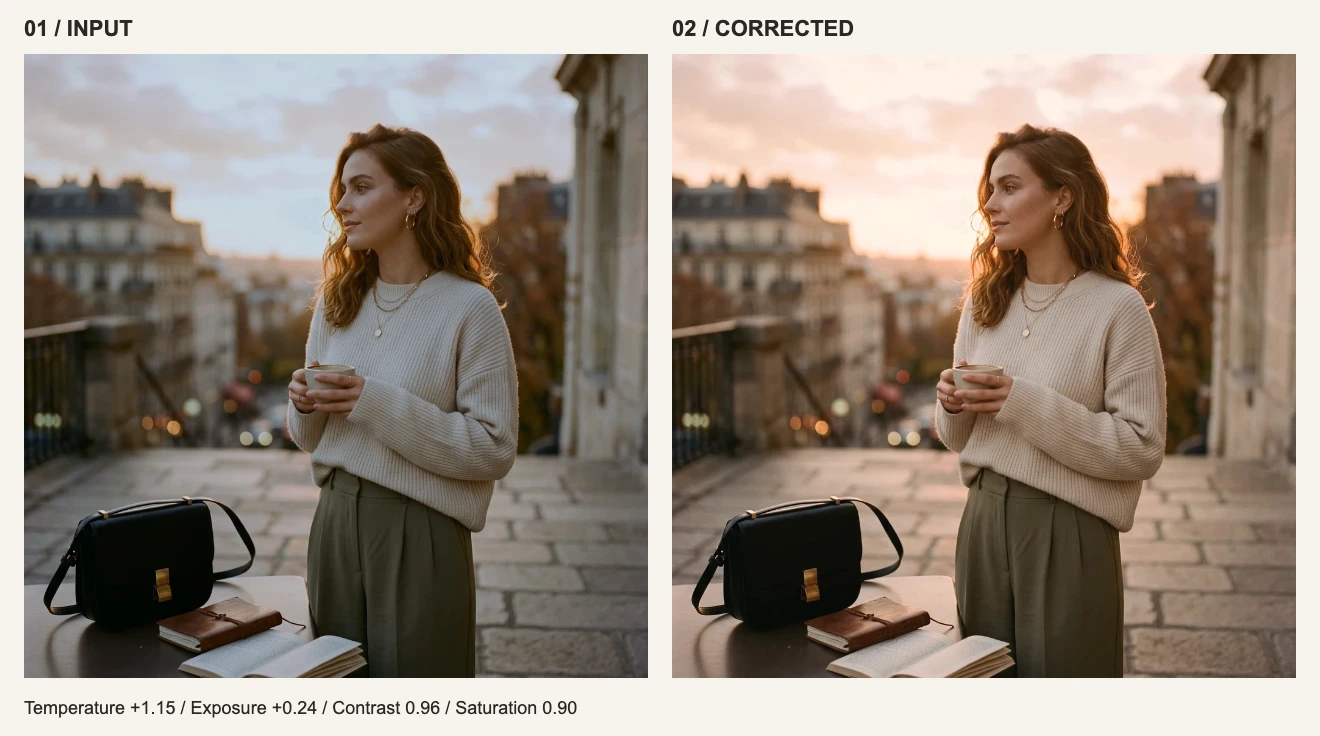
Export does not require turning every setting up. Decide who receives the file, how large it will appear, and whether it contains text or transparency. Then choose a format and inspect the result.
Choose for the delivery requirement
| Requirement | Try first | Check |
|---|---|---|
| Photos or continuous-tone artwork on a website | WebP | Acceptance, actual size and visible quality |
| A third-party system wants a common photo format | JPG | Transparency becomes white; small type may show artifacts |
| Crisp screenshots, graphics or a lossless intermediate | PNG | Photo-like content may create a large file |
| Transparent background | PNG or WebP | Confirm that the input and export actually retain alpha |
| A single-page document attachment | The current output embeds JPEG pixels, not editable text |
Two 1024 × 1024 encoding samples
On September 10, 2026, we encoded the same pixel inputs with Canvas in headless Chrome 152 on macOS. The portrait sample uses existing site artwork; the synthetic chart contains small text, thin lines, flat colors and a gradient. Quality follows the editor’s current mapping. This measures the encoding stage, not full editor export performance.
| Format | UI quality | Portrait sample | Text chart |
|---|---|---|---|
| PNG | — | 1343.5 KiB | 266.5 KiB |
| JPG | 60 | 68.0 KiB | 50.6 KiB |
| JPG | 85 | 125.3 KiB | 77.0 KiB |
| JPG | 100 | 330.9 KiB | 149.5 KiB |
| WEBP | 60 | 41.1 KiB | 30.4 KiB |
| WEBP | 85 | 78.1 KiB | 43.0 KiB |
| WEBP | 100 | 170.5 KiB | 70.9 KiB |
At quality 85, this portrait produced a 125.3 KiB JPG and a 78.1 KiB WebP. The same quality number does not establish equivalent visual quality across formats. A smaller lossy chart is also not automatically a better delivery file if its small text deteriorates.
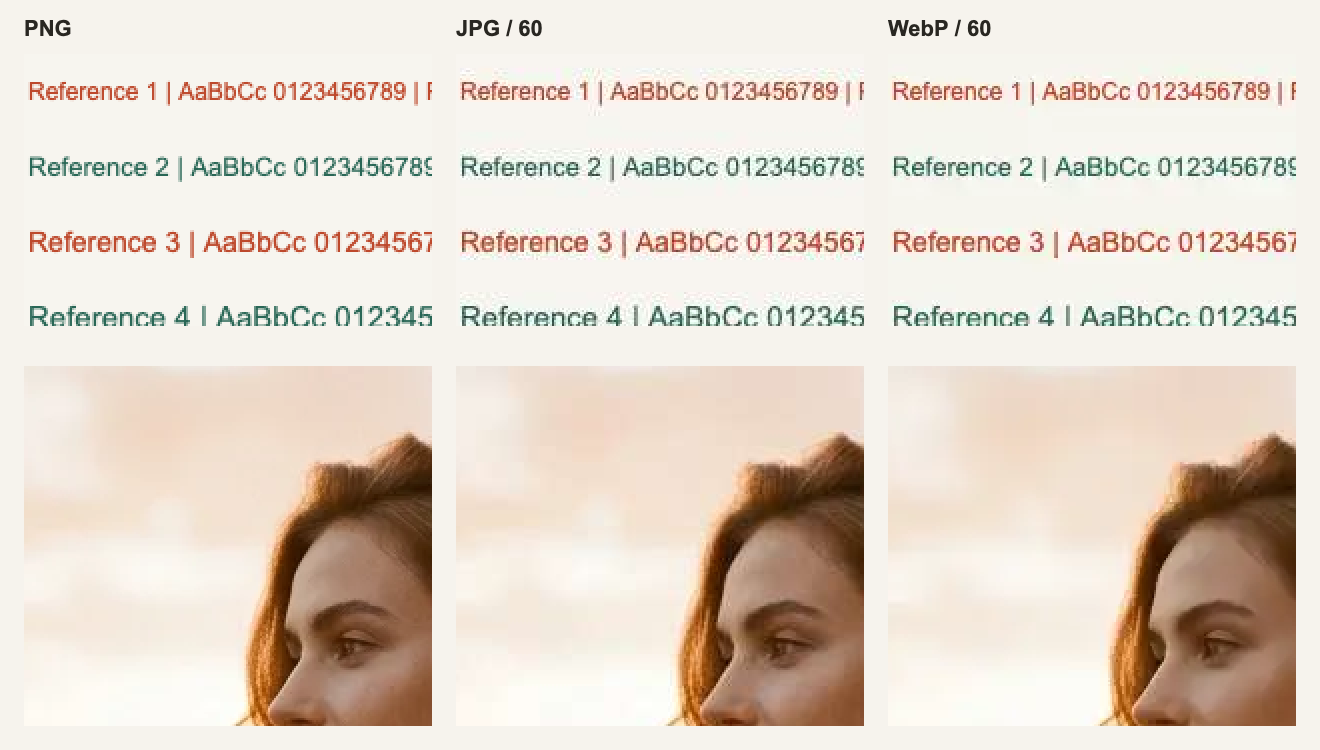
Inspect color noise around letters, fine edges, and the boundary between hair and sky. Page scaling can hide differences; open the full-size comparison. PNG preserves the supplied pixels, including any blur or artifacts that were already in the source.
Download the portrait PNG, JPG 85, WebP 85, and text chart. The measurement record contains exact byte counts, browser identification and methodology.
The quality slider is not a sharpness percentage
JPG, WebP and PDF use lossy quality control; PNG has no slider. The current editor maps 1–90 to encoder values 0.01–0.90, then 90–100 to 0.90–0.98. Even a UI value of 100 does not mean lossless. WebP as a format supports lossless encoding, but this panel has no separate lossless switch.
Start at 85, then compare exports at 75 and 95 using the areas and file limits that matter to you. The number is not the percentage of detail retained, and identical numbers across formats are not equal-quality settings. See the browser interface in MDN’s Canvas toBlob documentation.
Set dimensions before squeezing quality
Resizing this portrait from 1024 × 1024 to 512 × 512 at WebP 85 reduced its size from 78.1 KiB to 28.6 KiB. The pixel count became one quarter; the byte count did not. Resizing removes detail, so only do it when the destination allows the smaller dimensions.
For a web image, start with displayed width multiplied by the target pixel density. A 600 CSS pixel slot prepared for 2× density suggests 1200 pixels wide, preserving the aspect ratio. Follow explicit platform specifications when available. Upscaling a smaller source does not add original detail.
What PDF actually adds
The current implementation flattens the image onto white, encodes it as JPEG, and embeds that in one PDF page. It adds a document container, not layers, vector text or resolution. Transparency is lost and the quality slider still affects the JPEG inside. There are no paper-size, margin, multipage-layout or prepress color controls; use a suitable layout tool for precise print delivery.
Three final checks
- Reopen the output: are format, pixel dimensions and transparency correct for the destination?
- Inspect the whole image at its intended display size, then text, gradients and contrast edges at 100%.
- Keep the original source. Use PNG for a lossless flattened intermediate and save delivery versions separately.